The most useful AI requests come with a file attached: "summarise this contract", "compare these two offers", "draft a letter to every customer on this list". Files are also where personal data is densest. A single payroll spreadsheet can contain hundreds of names, ID numbers and bank accounts.
The manual way — and why it fails
The textbook answer is to anonymize the document before uploading it: search for names, replace them with placeholders, remove ID numbers, delete the signature block. In practice:
- It takes too long, so people skip it.
- It misses things — a name in a footer, an IBAN in a table, an email in a comment.
- It breaks the result. The AI's answer is full of placeholders, and someone has to put the real values back by hand.
What good anonymization looks like
- Automatic detection of names, IDs, emails, phone numbers, addresses and bank details — in Word, Excel, PowerPoint, PDF and CSV.
- Consistent codes: the same person gets the same code across the document and the conversation, so the AI can still reason about "[PERSON_1]".
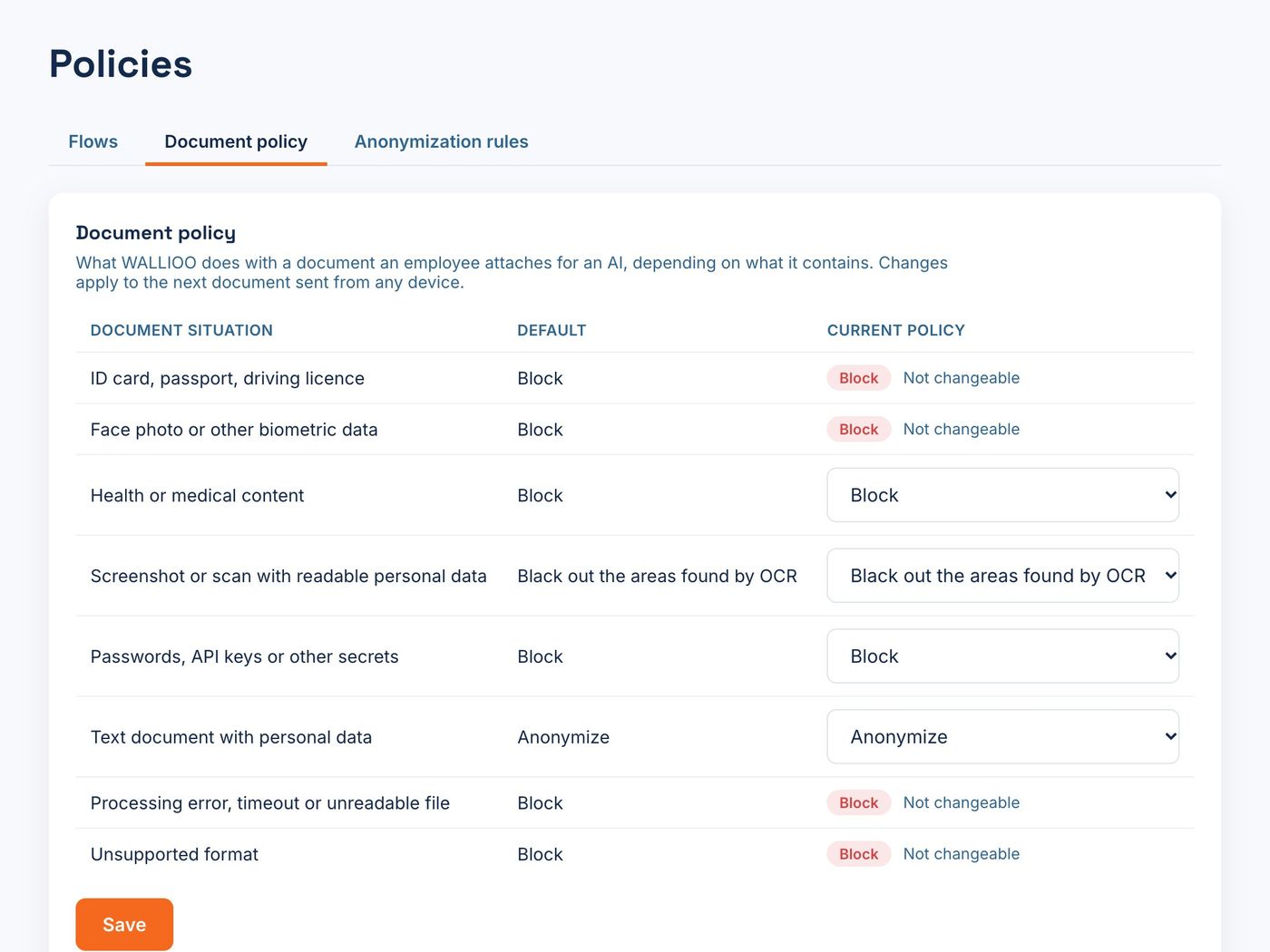
- Rules for what must not go at all: scanned ID cards, passports and medical reports are blocked, not anonymized.
- The way back: when the AI writes a letter or a spreadsheet, you download it with the real names and values.
- A record of each document: its type, the decision and how many values were hidden — without storing the content.
How WALLIOO does it
With WALLIOO Browser Guard, an employee attaches a file in the WALLIOO panel next to ChatGPT, Claude, Gemini or Copilot. The document is inspected and anonymized before upload, with the same codes as the conversation; ID cards and health documents are blocked by policy. When the AI produces a document, it is downloaded with the real values — the AI never saw them. See the documents use case →
Frequently asked questions
Which file types can be anonymized?
With WALLIOO: Word, Excel, PowerPoint, PDF and CSV, among others. Scanned identity documents and medical reports are blocked instead of anonymized.
Does the AI still give a useful answer?
Yes. Values are replaced by consistent codes, so the structure and meaning of the document stay intact. The AI works with [PERSON_1]; you read the result with the real name.
Where are the real values kept?
The AI provider only receives codes. The real values stay inside WALLIOO, encrypted, so the employee can read answers and download documents with them.